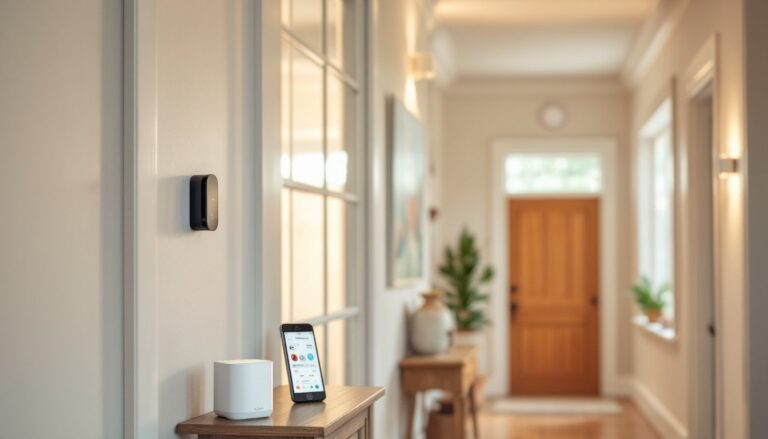
A motion detector alarm system sits at the frontline of home security, detecting movement when you’re away or asleep and alerting you to potential intruders. Unlike simple door and window sensors that only catch entry points, motion detection technology covers the interior space itself, catching someone who’s already breached your perimeter. Modern systems are far more sophisticated than the basic motion detectors of the past, offering homeowners affordable options that integrate with smartphones, reduce false alarms, and fit seamlessly into existing alarm setups. Whether you’re retrofitting an older home or building security into a new installation, understanding how motion detection works and what type best suits your space makes all the difference between a system that protects and one that frustrates.
Table of Contents
ToggleKey Takeaways
- A motion detector alarm system detects interior movement and triggers alerts when armed, complementing perimeter sensors by covering the space inside your home rather than just entry points.
- Passive Infrared (PIR) sensors are the most common residential choice due to low power consumption, while dual-technology sensors combining PIR and microwave detection dramatically reduce false alarms by requiring both sensors to trigger before alerting.
- Proper placement at 4-6 feet high on walls (not ceilings) and away from heat sources, direct sunlight, and HVAC vents prevents false alarms and ensures motion detector systems detect actual threats reliably.
- Wireless motion detector systems cost $60-150 per unit with simple installation but require battery replacement every 2-3 years, while hardwired systems cost $150-300 per detector upfront but provide permanent coverage without maintenance.
- Pet-immune motion detectors and dual-technology sensors are essential investments for homes with pets or near busy roads, while stay mode and adjustable entry delays allow you to use motion detection comfortably while home without constant false alarms.
- Regular maintenance including quarterly lens cleaning, battery replacement every 2-3 years, and monthly testing under normal living conditions keeps your motion detector alarm system performing effectively and prevents disuse from frustrating false alarms.
How Motion Detector Alarm Systems Work
Motion detector alarm systems operate on a simple principle: they sense movement in a defined space and trigger an alert when activity occurs outside preset windows. The core process has three steps. First, the sensor monitors its coverage area continuously, scanning for changes that indicate motion. Second, when movement is detected, the system processes the signal and checks whether it falls within an armed or disarmed mode, this is where many DIYers get confused about “false alarms.” Third, if the system is armed and motion is confirmed, the alarm triggers, sending a signal to your monitoring center (if you have professional monitoring) or directly to your phone.
Where homeowners often run into trouble is misunderstanding the delay between detection and activation. Most residential motion detectors include a 30-60 second grace period after a door opens, allowing you to disarm the system before the alarm fires. This “entry delay” is intentional and programmable: it’s not a malfunction. The sensitivity of the detector, how much movement it takes to trigger, is also adjustable on many units, which helps reduce phantom alerts from pets or curtains moving near vents. Understanding these settings is critical before installation, not after.
Types of Motion Detection Technology
Passive Infrared (PIR) Sensors
Passive infrared sensors are the workhorses of residential motion detection. They detect heat, specifically, the infrared radiation emitted by the human body, by comparing the temperature of moving objects against the background. Unlike active sensors that emit their own signal, PIR sensors are “passive,” meaning they don’t broadcast anything and consume minimal power, making them ideal for battery-operated wireless units.
PIR sensors perform best in stable environments. A sudden temperature shift, direct sunlight streaming through a window, an air conditioning vent, or a heater cycling on, can cause false triggers. This is why proper placement matters enormously. Position PIR sensors away from heat sources, direct sunlight, and air vents. They’re most reliable when looking across a room rather than directly down hallways, and they work best indoors where temperature changes are gradual and predictable. Coverage is limited by what the sensor “sees”: a 40-degree field of view means it won’t catch movement directly behind it or outside its cone.
Microwave and Dual-Technology Sensors
Microwave sensors use radio waves to detect motion rather than heat. They emit a signal, detect reflections from moving objects, and trigger when the reflected pattern changes. The advantage? Microwave sensors penetrate walls and can detect motion behind barriers. The downside is they’re more prone to false alarms from external sources, even movement outside your house can trigger a response if the signal passes through your walls.
Dual-technology sensors combine both PIR and microwave detection. The system requires both sensors to detect motion before triggering, dramatically reducing false alarms. Most modern best home security systems use dual-technology in key zones. They cost more than PIR-only detectors, but the reduction in nuisance alerts justifies the expense in most homes. If you live near a busy road or have pets, dual-technology is worth the investment. For a simple hallway or bedroom in a quiet neighborhood, PIR-only suffices.
Choosing the Right System for Your Home
Selecting the right motion detector alarm system depends on three factors: your home’s layout, your budget, and whether you’re retrofitting an existing alarm or installing fresh.
Start by mapping zones. Walk through your home and identify entry points and high-value areas. For most residences, motion detectors belong in hallways, basements, and living spaces, not bedrooms where you sleep or kitchens where pets roam. If you’re installing a hardwired system (running low-voltage wire through walls), you’ll need 18 to 22-gauge alarm wire, conduit, and a proper control panel. This approach is permanent but clean: the wire runs behind drywall and integrates fully with your alarm center. Wireless motion detectors, by contrast, are battery-operated units that communicate via radio frequency. They’re simpler to install, no wiring, but require battery replacement every 2-3 years and depend on signal strength. Wireless is perfect for renters or for adding detection to a single room without major installation.
Budget reality: hardwired systems cost more upfront ($150-300 per wired detector including labor) but last longer and don’t require battery maintenance. Wireless detectors run $60-150 each and install in minutes. If you’re securing multiple rooms, the cost difference compounds quickly. A basic home alarm system with three motion detectors and professional monitoring runs roughly $40-60 monthly, though regional pricing varies.
Consider your climate and environment. Humid basements can corrode connectors: attics with temperature swings confuse PIR sensors. High-traffic homes with pets demand dual-technology to prevent false alarms. If you’re unsure, wireless PIR units in common spaces (hallway, basement) paired with door/window sensors at entry points provide solid coverage without over-complicating the system.
Installation and Setup Tips
Installation method depends on whether you’re going hardwired or wireless. For wireless units, positioning is everything. Mount detectors 4-6 feet high on a wall (not a ceiling) so the sensor’s cone of vision sweeps across the room at human chest height. A detector mounted too high misses someone crawling or lying down: too low and it triggers on pets moving below it. Test coverage after mounting by walking through the detection zone, you should see the LED blink when motion is detected. Most wireless systems have a test mode accessible via the control panel or smartphone app.
For hardwired installation, run your alarm wire in the same conduit or wall cavity as your house electrical wiring, keep them separate to avoid interference. Use wire clips every 16-24 inches and avoid sharp bends that damage insulation. Terminal blocks at the control panel should be clearly labeled: take a photo before you seal the panel. Always test the sensor before calling installation complete: trigger it, confirm the control panel registers the signal, and verify the delay timer is set correctly.
Common setup mistakes: forgetting to adjust sensitivity for your environment, leaving entry delays at factory defaults (which might not match your routine), and ignoring the motion detector’s manual. Read it. Different brands program their sensors differently: what works on one system doesn’t on another. Install fresh batteries during setup if using wireless: don’t assume they’re new from the box. Test the backup battery on your control panel too, if the power fails, your system should still function for 24+ hours. Many newer systems send low-battery alerts to your phone: enable those notifications. According to recent smart alarm system reviews, the systems that perform best are those where the homeowner takes 30 minutes to read and configure settings properly rather than assuming plug-and-play.
Maximizing Effectiveness and Reducing False Alarms
False alarms are the #1 reason homeowners disable motion detection or abandon their security system entirely. Most false positives stem from three sources: environmental interference, improper placement, and sensitivity miscalibration.
Environmental interference is the trickiest. Direct sunlight heating a wall can fool PIR sensors: ceiling fans cycling air past a detector trigger microwave sensors: reflections from mirrors or glass confuse some units. Combat this by avoiding sunlit walls for sensor placement, positioning detectors away from HVAC vents and registers, and testing your system monthly with doors and windows closed under normal living conditions. If you’re experiencing false alarms in the first week, don’t ignore them, adjust the detector. Move it, lower its sensitivity, or switch to dual-technology.
Pet immunity is critical in homes with dogs or cats. Most residential motion detectors ignore movement under 40 pounds, but larger dogs or multiple pets can still trigger false alarms. If you have pets, invest in a motion sensor camera that pairs with your alarm, it lets you confirm whether movement is from an intruder or Fido before the alarm fires. Wireless detectors often include pet-immune zones: hardwired systems depend on your control panel’s programming.
Programming discipline prevents false alarms too. Set your entry delay to 60 seconds if you tend to be slow disarming: 30 seconds is standard but can trigger before you reach the keypad on a large house. Use “stay” mode when you’re home at night, this arms perimeter sensors (doors and windows) while bypassing interior motion detectors so you can move freely without triggering an alarm. Most modern systems, including those from Honeywell, allow you to create custom profiles for different times of day or day types. A weeknight stay mode differs from a vacation armed mode. Use these features.
Maintenance matters: dust buildup on a PIR lens reduces sensitivity, sometimes causing it to miss real threats. Wipe sensors with a soft, dry cloth quarterly. Battery-powered wireless detectors should have their batteries replaced every 2-3 years, even if they haven’t failed, degraded batteries provide inconsistent power. Document your sensor placement, sensitivity settings, and zone assignments in a notebook or photo file stored with your security system documentation. If you ever need to troubleshoot or adjust settings, you’ll thank yourself.